

Fahmeena writes clear and practical guides covering technology, apps, AI tools, computers, gadgets and emerging digital trends.
View Author Profile →
Sameena reviews technology and digital content for clarity, factual presentation, readability, consistency and reader usefulness.
View Reviewer Profile →Table of Contents
Introduction
Are you looking for a low-priced laptop that can handle your everyday chores effectively? If so, you should read this Dell Inspiron 15 laptop review because it might be the one for you!
I’ll go over the features and specifications of the Dell Inspiron 15 laptop to familiarise you with it. I’ll focus on the device’s design, CPU, memory, graphics, storage, and battery performance.
In addition, I’ll give the laptop a grade after each portion of this evaluation so you can see how it did in each category. You will finally be able to make a wise purchase after reading this review.
We regularly update tips on our website Digital Tech Book. Please keep supporting us. Thank you.
Dell Inspiron 15 Laptop Review
If a laptop does not charge properly, check the power outlet, adapter, cable connections, and charging port before replacing any components. This guide to an HP laptop charging cord may help readers understand the cable and compatibility considerations for HP devices.
The Dell Inspiron series is a mid-tier class of laptops with a long history. The series laptops are primarily renowned for their uninteresting looks.
The Inspiron series, however, has lately undergone an update and modernization.
The Dell Inspiron 15 laptop is undoubtedly a member of the Inspiron family. Furthermore, it is a multifunctional laptop for web browsing, office work, and light gaming.
This laptop has mid-range pricing and respectable performance. The Dell Inspiron 15 laptop starts for $622.97 as of the time this article was published.
Let’s move on to an in-depth study of the Dell Inspiron 15 laptop’s features and specifications now that we’ve given a hint as to what to anticipate from it.
Dell Inspiron 15 Laptop Design, Dimension & Weight Review
Laptop design and color options can influence a buyer’s choice just as much as performance and price. If you prefer a distinctive look, explore this guide to a blue HP laptop for another laptop option to consider.
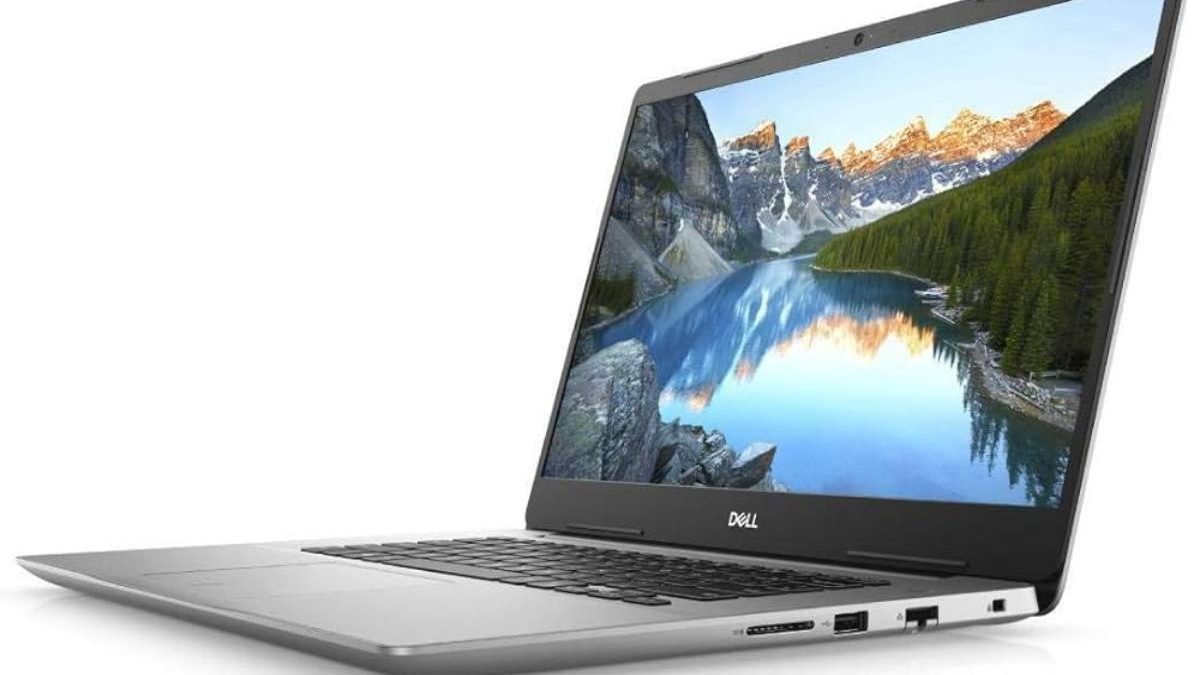
Aluminum alloy and plastic remain combined in the chassis construction of the Dell Inspiron 15 laptop. Although you won’t get an all-metal chassis for the laptop’s price range, its brushed metallic surface gives it a more expensive appearance.
The silver metallic finish on the lid that Dell used during its design gives the laptop a more expensive-looking appearance than it actually is. The Dell logo is located in the middle of the cover in a silver tone that precisely matches the rest of the lid.
The laptop’s strong hinges mean that opening the lid requires two hands. But when you open it, you’ll notice that the screen rem
ains enclosed in a thin bezel.
Compared to the Lenovo Thinkpad X250, which measures 306 x 209 x 20 mm and weighs 1360g, the laptop is heavier.
Fortunately, in my opinion, the Dell Inspiron 15 laptop has a stylish appearance and sturdy construction. I will give it a nine in this category.
Using a compatible charger helps maintain reliable laptop charging and protects against problems caused by unsuitable power adapters. If you use an HP Stream device, see this guide to the HP Stream laptop charger for relevant charging information.
Dell Inspiron 15 Laptop Processor (CPU) Performance Review
Although laptops are convenient for everyday computing, users who regularly edit high-resolution videos may benefit from a desktop with more processing power and upgrade flexibility. Compare the best desktop PCs for video editing when evaluating alternatives for demanding creative projects.
An Intel Icelake processor from the 10th generation powers the Dell Inspiron 15 laptop. The laptop also has three different processor options, which we’ll discuss briefly.
But before we proceed, it is essential to note that Icelake processors remain only found in expensive laptops like the Dell XPS 13. It’s impressive that Dell has only begun including Icelake CPUs in their mid-tier portfolio.
As we go on to the processor options, let’s start with the 2 Core Intel Core i3-1005G1 processor option for the laptop. The Core i3 processor also features a 4 MB cache, a base speed of 1.20 GHz, and a peak speed of 3.40 GHz.
The second option is a setup with a 4 Core Intel Core i5-1035G1 processor. The Core i5 processor also features a 6MB cache, a base speed of 1.00 GHz, and a turbo speed of 3.40 GHz.
RAM plays an important role in multitasking, application responsiveness, and overall laptop performance. Before upgrading, learn more about RAM for a laptop, including memory capacity, compatibility, and the requirements of your everyday applications.
Conclusion
The laptop from Dell, the Inspiron 15, strikes a good balance between cost and performance. It is a reasonably priced laptop that can handle simple computing duties and light gaming.
The laptop also has a good assortment of ports and an excellent build quality. It, most importantly, provides memory and storage upgrade options.
In conclusion, I would only suggest this laptop to individuals who require a budget-friendly laptop for everyday use.
It operates at a base frequency of 1 GHz and a boost frequency of 3.40 GHz, with a cache memory of 6 MB.
If a laptop fails to start from the intended drive, checking its startup configuration may help identify the issue. Understanding the BIOS boot order can help users choose the correct boot device when troubleshooting startup problems or installing an operating system.
Fahmeena Begum is a technology writer at Digital Tech Book with 3+ years of experience. Her work covers apps, AI tools, computers, gadgets, smart technology and practical digital guides.
View Author Profile →Sameena Begum is a technology and digital content reviewer with 8 years of experience. Her review work focuses on clarity, factual presentation, readability and editorial consistency.
View Reviewer Profile →