

Fahmeena writes clear and practical guides covering technology, apps, AI tools, computers, gadgets and emerging digital trends.
View Author Profile →
Sameena reviews technology and digital content for clarity, factual presentation, readability, consistency and reader usefulness.
View Reviewer Profile →Table of Contents
Introduction
PC and printer giant HP unveiled its new Pavilion series of laptops powered by 12th Gen Intel H Core processors for seamless work and learning experience. The HP Pavilion Plus 14-inch laptop starts at Rs 78,999. Although, The HP Pavilion x360 14-inch laptop starts at Rs 76,999.
The HP Pavilion Plus 14-inch laptop comes in colors such as Space Blue, Natural Silver, and Pale Rose Gold. HP India, Senior Director of Personal Systems, Vickram Bedi, said: This PC and Pavilion x360 14″ device remains designed to deliver a great experience that keeps you connected, engaged, and productive.
At 16.5mm with an all-metal body, it’s the thinnest Pavilion device ever. The HP Pavilion Plus 14-inch is a lightweight device powered by the H-45 Watt 12th Gen Intel Core H processor. In addition, the HP Pavilion Plus 14-inch laptop has dual fans and dual heat pipes to improve airflow while gaming, creating, streaming incredibly, or multitasking.
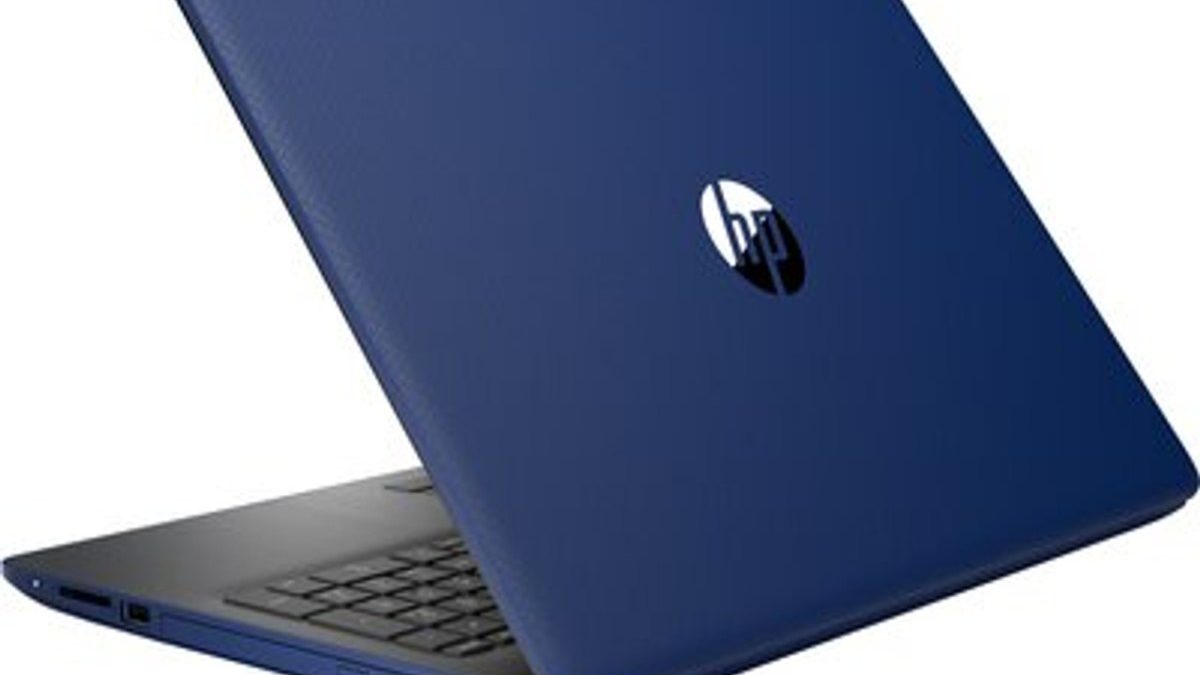
A blue HP laptop can be suitable for everyday computing and light creative tasks, but users working with demanding video-editing projects may benefit from exploring the best desktop PCs for video editing.
HP Pavilion x360 14-Inch Laptop Features
Choosing a compatible power adapter is essential for reliable charging; users with other HP models can also learn more about the HP Stream laptop charger and its compatibility requirements.
Both devices remain equipped with HP Command Center, Performance Mode, and Balance Mode. The
HP Pavilion x360 14-inch laptop is HP’s first consumer laptop with a manual camera shutter that provides more privacy and security in today’s hybrid world.
The all-new HP Pavilion x360 14-inch laptop weighs just 1.41 kg. “Eye Safe Certified Display. The company says that the feature provides an always-on blue light filter for a comfortable viewing experience and is built into the display without the need to adjust any settings. Since you’re interested, you may also read this article: External Ram For Laptop – Install, PC, And More.
If a laptop fails to charge properly, checking the adapter and cable is a useful first step. Learn how to choose a compatible HP laptop charging cord for reliable power delivery.
HP Pavilion 15 Review
Memory plays an important role in laptop performance, especially when running multiple applications, so understanding RAM for laptops can help users choose a suitable configuration.
With so many brands and models of laptops, choosing the right one can be a real headache more than this. In this full HP Pavilion 15 review, we’ll explore the specs of these mass-appealing devices and how they fit across the HP laptop lineup. A comparison with available models remains also shown.
In short, the HP Pavilion 15’s best users are students or young professionals on a tight budget who don’t want to skimp on specs. So if you don’t have a lot of cash but don’t want to suffer from frustration. Keep scrolling to check out this thin and light laptop with an Intel® Core™ processor and a Full High Definition (FHD) display, please.
What is the HP Pavilion 15 laptop?
HP Pavilion 15 is HP’s flagship entry-level laptop. But does entry-level mean you have to suffer from low-end specs and game-changing components? No chance.
The problem for college students, recent graduates, and other budget-minded laptop buyers is the idea of sacrificing performance for performance. You may have to pull your hair out to struggle with a cheap device that lacks all the essential features. Note-taking, gaming performance, binge-watching, and work life can be painful experiences. It is an affordable high-performance device with specs for serious computer users on a budget looking for a high-performance laptop at an affordable price.
When a laptop does not start from the expected drive, checking its boot settings may help identify the issue. Understanding the BIOS boot order can help users configure which device the computer starts from.
Conclusion
Its groundbreaking machine combines the specs most users want at a price that cash flow can support. It costs less than your average smartphone but offers very competitive processors, displays, storage, battery life, and more.
Before purchasing a laptop, compare specifications, portability, performance, and price across different manufacturers. The Dell Inspiron 15 5585 is another model to explore when researching laptop options.
Fahmeena Begum is a technology writer at Digital Tech Book with 3+ years of experience. Her work covers apps, AI tools, computers, gadgets, smart technology and practical digital guides.
View Author Profile →Sameena Begum is a technology and digital content reviewer with 8 years of experience. Her review work focuses on clarity, factual presentation, readability and editorial consistency.
View Reviewer Profile →