
Last Updated: August 3, 2026
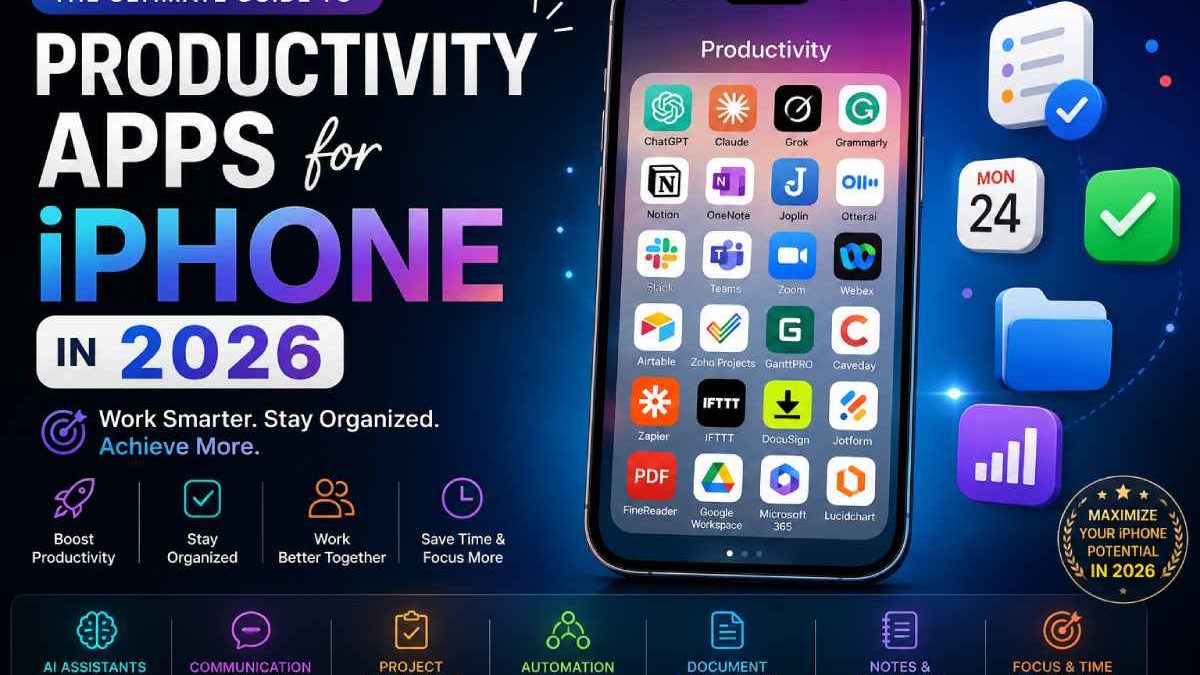
It’s been truly remarkable to see how the iPhone has evolved into the most potent productivity tool of all time. Originally the size of a simple phone, the iPhone is now an indispensable professional workstation that manages writing, meeting, project management, automation, design, notes and AI features.
Today, the typical user isn’t searching for just one app-they’re searching for entire ecosystems of iPhone productivity apps, the best productivity apps for iPhone, trustworthy iPhone apps for work to simplify personal and business life, etc. Demand for modern iPhone productivity apps has exploded due to remote work, freelance jobs, the digital economy, AI, and much more.
This guide explains the most important must have iPhone apps and apps to increase productivity, based on real-world usage categories such as AI assistants, communication tools, automation platforms, project management systems, document tools, and focus applications.
Table of Contents
Understanding Productivity Apps on iPhone
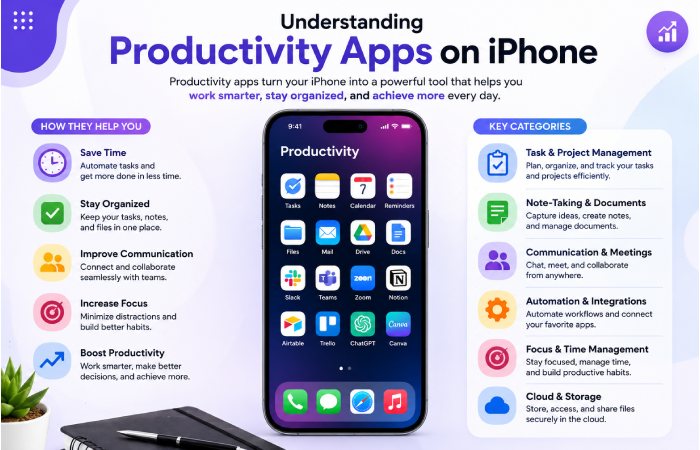
Productivity apps are not just tools; they are systems that help users:
- Save time
- Reduce manual effort
- Improve communication
- Automate tasks
- Organize information
- Increase focus
- Manage teams and projects
Today’s productivity apps can automate, integrate cloud computing, and employ AI to allow users to complete advanced tasks all on an iPhone without a laptop.
The best productivity setups usually include a combination of:
- AI assistant apps
- Communication apps
- Project management tools
- Automation platforms
- Note-taking apps
- Document handling apps
- Focus and deep work tools
AI Productivity Apps: The Core of Modern iPhone Productivity
Artificial intelligence has completely changed how people use iPhones for productivity. AI apps now act like assistants that can write, analyze, summarize, plan, and even automate tasks.
ChatGPT – The All-in-One AI Productivity Assistant
As one of the best AI productivity apps in the world, ChatGPT allows users to simplify the use of many different applications by assisting them as an AI writer, a research assistant, a creative partner, or even as an automation trainer.
Professionals use ChatGPT for e-mail writing, report generation, summarizing lengthy texts, and idea generation; while students use the application as an educational helper and assignment completion tool, and marketing/content professionals apply ChatGPT for content writing.
One of the most significant strengths of ChatGPT is its comprehension of user’s commands delivered in natural language and the transformation of these commands into formal and concrete outcomes. It is widely considered one of the must have iPhone apps for modern professionals. ChatGPT consistently ranks among the top productivity apps globally.
Key Features
| Feature | Details |
| AI Writing | Draft emails, blogs, reports |
| Voice Chat | Speak naturally with AI |
| File Analysis | Upload PDFs and documents |
| Productivity Use | Research, planning, automation |
| Best For | Students, writers, professionals |
Claude – Deep Thinking and Long-Form Productivity Tool
Claude excels at complex reasoning, coherent writing, and large document understanding. While other AI products focus on answering brief questions, Claude is ideal for working with extended content, like research papers, business reports, and lengthy analytical documents.
Many professionals turn to Claude when accuracy, organized thought, and well-explained solutions are crucial. The technology is particularly well-suited to analysts, researchers, consultants, and writers dealing with complex subject matter.
Of all the tools available for iOS users, Claude is one of the most powerful when it comes to professional level thinking and content creation. Claude is rapidly growing in App Store productivity rankings
| Feature | Details |
| Long Context Memory | Handles large documents |
| Writing Assistance | Research and editing |
| Coding Support | Technical productivity |
| Collaboration | Team workflows |
| Best For | Professionals and analysts |
Grok – Real-Time AI Productivity Assistant
The AI assistant is particularly suited for those looking for real time and quickly generated content. It can aid users seeking for information on recent trends, quick answer alongside AI provided insights.
Creators and researchers utilize Grok for trends information, generating creative ideas, and analyzing online discussions on real-time.
The app is also gaining traction for users seeking productivity apps to fast process information smartly.
Grok Features Table
| Feature | Details |
|---|---|
| AI Conversations | Smart assistant support |
| Real-Time Data | Updated information |
| Image & Video Features | Multimedia generation |
| Smart Search | Faster information access |
| Productivity Support | Daily workflow assistance |
| Best For | Creators and researchers |
Writing and Communication Productivity Apps
Clear communication is one of the most important parts of productivity. These apps help users write better emails, documents, and messages.
Grammarly – Writing Improvement Assistant
Grammarly allows users to improve the clarity, grammar, tone, and general quality of writing. It is very easy to use in almost all applications, thus it becomes especially helpful for professional writing which includes sending e-mails, report or on-line article. Grammarly does not only correct writing mistakes but also offers advice on better sentence structure and improving writing tone, which makes communication more effective.
It is widely used as one of the most reliable iPhone apps for work, especially in corporate communication.
| Feature | Details |
| Grammar Checking | Writing correction |
| Tone Detection | Improve communication |
| AI Suggestions | Writing enhancement |
| Spell Checker | Error reduction |
| Cross-App Support | Works across apps |
| Best For | Writers and professionals |
Meeting and Voice Productivity Apps
Remote work has increased the need for meeting tools and transcription apps that improve productivity.
Otter.ai – AI Meeting Notes and Transcription Tool
Otter.ai records your conversation and transcribes the voice into text automatically. It can be so helpful for all kind of meeting, interview, lecture, and brainstorming. You can fully focus on conversations and let Otter.ai record the voice with no need to take any notes. Otter.ai is the best and most productivity iPhone app for people that attends meeting a lot
Otter.ai Features Table
| Feature | Details |
|---|---|
| AI Transcription | Meeting notes |
| Voice Recording | Audio capture |
| Searchable Notes | Faster retrieval |
| Team Collaboration | Shared transcripts |
| Live Captions | Accessibility support |
| Best For | Meetings and interviews |
Zoom Workplace – Complete Communication Platform
A simple app for meetings, Zoom Workplace brings everything together. It is a comprehensive solution that integrates chat, meetings and scheduling together.
Companies leverage zoom Workplace for webinars, online meeting and teamwork, enabling collaboration between team. It provides complete working environment with instant messenger, and the AI generated meeting notes.
It is widely considered essential for remote teams using productivity tools iOS.
Zoom Workplace Features Table
| Feature | Details |
|---|---|
| Video Meetings | HD conferencing |
| AI Meeting Summaries | Automated notes |
| Team Chat | Internal messaging |
| Calendar Integration | Scheduling support |
| Collaboration Tools | Team productivity |
| Best For | Hybrid work |
Slack – Team Communication Hub
It is a communication tool built for the workplace. Slack allows discussions to be segmented into channels, helping teams talk about particular topics and projects.
It cut down on emails, and streamlines communication. Slack integrates with other tools to boost efficiency.
It is one of the most popular iphone apps for work in modern organizations.
| Feature | Details |
| Team Channels | Organized communication |
| File Sharing | Easy collaboration |
| App Integrations | Connect hundreds of tools |
| Notifications | Real-time updates |
| Best For | Remote teams |
Reddit users frequently mention Slack as a major productivity booster for work.
Microsoft Teams – Enterprise Collaboration Platform
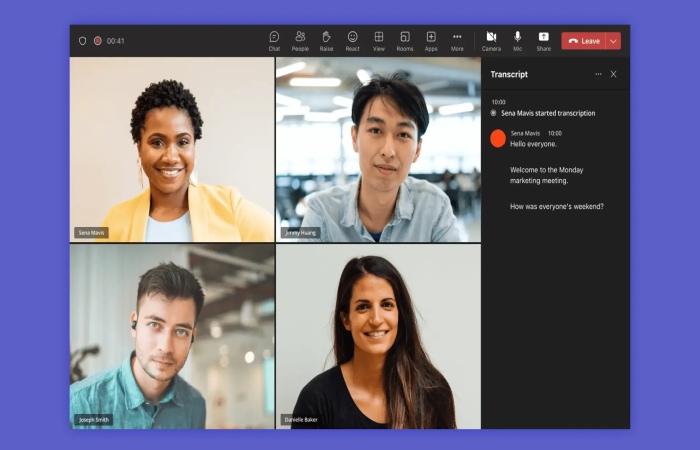
Microsoft Teams provides chat, video conferencing, file sharing and integrates with Microsoft 365. The solution is used predominantly by companies, since it allows them to combine their communication channels and manage work all in one place.
Teams is essential for corporate environments and is often included in lists of best iPhone productivity apps for businesses.
Microsoft Teams Features Table
| Feature | Details |
|---|---|
| Video Meetings | HD conferencing |
| Team Messaging | Workplace collaboration |
| File Sharing | Cloud document access |
| Microsoft 365 Integration | Productivity ecosystem |
| Calendar Sync | Meeting scheduling |
| Best For | Enterprises |
Project Management Productivity Apps
Managing tasks and projects is a key part of productivity, especially for teams and businesses.
Airtable – Flexible Work Management Platform
Airtable’s blend of spreadsheet ease-of-use and database power, which allows for the creation of custom workflows, project tracking and visual data management. Often utilized by startups, agencies and content teams for planning and organizing,
Airtable is one of the most flexible productivity tools iOS users can adopt for structured workflows.
Airtable Features Table
| Feature | Details |
|---|---|
| Database Workspaces | Flexible organization |
| Workflow Automation | Task automation |
| Templates | Ready-made systems |
| Team Collaboration | Shared productivity |
| Reporting Tools | Workflow insights |
| Best For | Agencies and startups |
Zoho Projects – Structured Task Management Tool
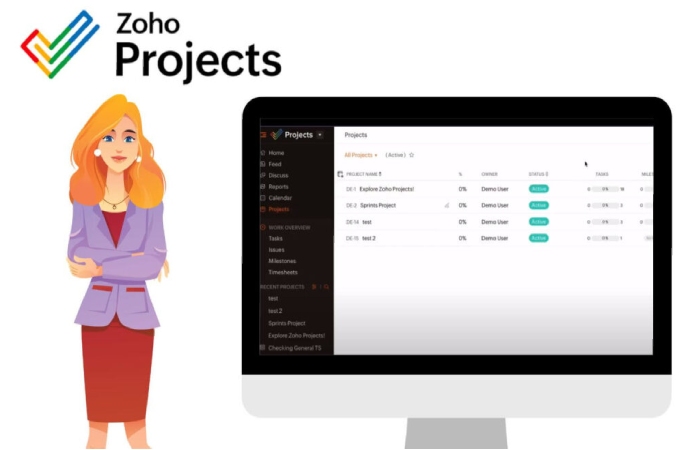
Zoho Projects assists users in task, time and collaboration management. Features of Zoho Projects include reporting features, time tracking, task management and automation. Small and medium size companies typically integrate Zoho Projects in managing the working procedures and track the productivity.
It is a strong option among apps to increase productivity for business teams.
| Feature | Details |
| Task Management | Organize workflows |
| Time Tracking | Employee productivity |
| Reports | Project analytics |
| Team Collaboration | Shared project tools |
| Best For | SMBs |
GanttPRO – Visual Project Planning Tool
GanttPRO. Helps users to visualize the duration and dependencies between tasks within projects by Gantt charts. The project managers plan their tasks, set responsible individuals and monitor their completion transparently. Is very suitable for planned and managed projects.
GanttPRO Features Table
| Feature | Details |
|---|---|
| Gantt Charts | Timeline planning |
| Task Dependencies | Organized workflows |
| Team Assignment | Collaboration management |
| Progress Tracking | Monitor completion |
| Scheduling Tools | Better planning |
| Best For | Project managers |
Automation Productivity Apps
Automation is one of the biggest productivity trends because it reduces repetitive work and saves time.
IFTTT – Simple Automation System
IFTTT is an app that helps you link your applications and automate tasks with the easy if-this-then-that rule configuration. With the IFTTT app, you can automate your smart home gadgets, post on social media, get notifications and automate actions among your apps.
It is ideal for beginners exploring automation in productivity apps for iPhone.
IFTTT Features Table
| Feature | Details |
|---|---|
| Automation Rules | Trigger-based actions |
| Smart Device Integration | Home automation |
| App Connections | Cross-platform support |
| Custom Workflows | Personalized automation |
| Time Saving | Reduce repetitive tasks |
| Best For | Beginners and smart users |
Zapier – Advanced Workflow Automation Tool
Zapier is an integration platform used to connect tens of thousands of apps. It allows business organizations to automate marketing campaigns, update customer relationship management tools, send e-mail messages, or keep track of a workflow or task.
It is one of the most advanced productivity tools iOS users can adopt for scaling business operations.
| Feature | Details |
| Multi-Step Automation | Complex workflows |
| Business Integrations | Thousands of apps |
| AI Automation | Smart workflow creation |
| Data Syncing | Cross-platform productivity |
| Best For | Businesses and marketers |
Document and File Productivity Apps
Handling documents efficiently is essential for modern productivity.
ABBYY FineReader PDF – OCR Document Tool
ABBYY Fine Reader PDF is a document productivity application to scan, edit, and digitize paper documents, especially office staff, businesses and students dealing with paper works on a daily basis. It helps to convert scanning images into editable texts using a sophisticated OCR technology (Optical Character Recognition). You can scan contracts, notes, receipts and reports using this application from your iPhone.
It is widely used in offices, education, and business environments for document digitization.
ABBYY FineReader PDF Features Table
| Feature | Details |
|---|---|
| OCR Technology | Convert images to editable text |
| PDF Editing | Modify and annotate PDFs |
| Mobile Scanner | Scan documents instantly |
| Cloud Export | Share files easily |
| Multi-Language Support | OCR in multiple languages |
| Best For | Businesses and students |
DocuSign – Digital Signature Platform
DocuSign is one of the top rated electronic signature applications used by businesses and individuals. It permits users to sign, send, and manage documents through the secure network of an iPhone. This application is typically used for the signing of contracts, agreements, approvals, legal forms, and other documents. It does away with the need to print and handle paperwork.
DocuSign Features Table
| Feature | Details |
|---|---|
| E-Signatures | Secure digital signing |
| Document Sharing | Send contracts instantly |
| Cloud Storage | Access files anywhere |
| Legal Compliance | Enterprise-grade security |
| Workflow Automation | Faster approvals |
| Best For | Businesses and legal teams |
Form and Data Collection Productivity Apps
Jotform – Mobile Form Builder
Jotform helps users create online forms, surveys, and data collection systems.Businesses use it for customer feedback, HR forms, registrations, and payments.
It is widely used among iphone apps for work in administrative roles.
Jotform Features Table
| Feature | Details |
|---|---|
| Form Builder | Drag-and-drop creation |
| Mobile Data Collection | Field productivity |
| Payment Integration | Online transactions |
| Automation | Workflow management |
| Templates | Faster setup |
| Best For | Businesses and HR teams |
Note-Taking Productivity Apps
Microsoft OneNote – Digital Note Organizer
Microsoft OneNote helps you to organize your ideas, meetings and researches by creating notebooks. You can write notes, add media and sync through cloud.
It is one of the most reliable must have iPhone apps for students and professionals.
Microsoft OneNote Features Table
| Feature | Details |
|---|---|
| Digital Notebooks | Organized note structure |
| Handwriting Support | Apple Pencil compatibility |
| Cloud Sync | Access anywhere |
| Multimedia Notes | Images and audio |
| Team Sharing | Collaboration support |
| Best For | Students and professionals |
Joplin – Privacy-Focused Note App
Joplin is free and open-source for notes which cares for privacy andOffline use, offers Encrypted Notes and Markdown support.
Features Table
| Feature | Details |
|---|---|
| Markdown Notes | Flexible formatting |
| End-to-End Encryption | Secure data |
| Offline Access | Local note storage |
| Multi-Device Sync | Cross-platform use |
| Open Source | Community-driven |
| Best For | Privacy-focused users |
Diagram and Visualization Productivity Apps
Lucidchart – Visual Planning Tool
Lucidchart can be used by a person to create charts, diagrams and process flows, It is usually utilized in business planning and designing systems and for presentations.
| Feature | Details |
| Flowcharts | Visual workflows |
| Team Collaboration | Shared diagrams |
| Templates | Fast creation |
| Cloud Access | Work anywhere |
| Presentation Support | Business planning |
| Best For | Teams and educators |
Office Productivity Suites
Google Workspace – Cloud Productivity Ecosystem
Google Workspace comes with Gmail, Docs, Drive, Sheets and Meet among others and is among the most popular online collaborative ecosystem in the world.
| App Included | Purpose |
| Gmail | Email management |
| Docs | Document editing |
| Sheets | Spreadsheet work |
| Drive | Cloud storage |
| Meet | Video conferencing |
>>>>>>>>>>>>>>>>>>Google productivity apps continue ranking highly in App Store charts.
Microsoft 365 – Complete Office Suite
All Microsoft Office applications, including Word, Excel, PowerPoint, Outlook and OneDrive are available along with a dedicated AI-add on within Microsoft 365. This is crucial for business and work productivity
It is essential for professional and corporate productivity workflows.
| Feature | Details |
| Office Apps | Full productivity suite |
| Cloud Storage | OneDrive integration |
| AI Copilot | Smart assistance |
| Cross-Platform Access | iPhone, Mac, Windows |
| Best For | Business professionals |
TechRadar highlights Microsoft 365 as one of the best productivity ecosystems.
Focus and Deep Work Productivity Apps
Caveday – Focus and Accountability App
Concentrate with an organized work day and a virtual coworking community at Caveday. The purpose is to eliminate distractions and cultivate your deep work.
Caveday Features Table
| Feature | Details |
|---|---|
| Deep Work Sessions | Improve concentration |
| Virtual Coworking | Community productivity |
| Accountability | Focus support |
| Time Blocking | Structured schedules |
| Productivity Coaching | Guided work sessions |
| Best For | Remote workers |
Productivity App Trends in 2026
The biggest productivity trends on iPhone include:
| Trend | Impact |
| AI Assistants | Faster content and automation |
| Workflow Automation | Reduced repetitive tasks |
| Remote Collaboration | Improved team productivity |
| Cloud Sync | Multi-device access |
| Voice Productivity | Faster task input |
| AI Meeting Notes | Automatic summaries |
How to Choose the Right Productivity App
Before installing productivity apps, consider:
| Question | Why It Matters |
| Do you need AI support? | ChatGPT and Claude are ideal |
| Do you work remotely? | Slack, Teams, Zoom help collaboration |
| Need automation? | Zapier and IFTTT save time |
| Need project management? | Airtable and Zoho Projects work well |
| Need document workflows? | ABBYY and DocuSign are useful |
| Prefer free apps? | Google Workspace and OneNote offer free plans |
How These Apps Work Together as a Productivity System
The real power of productivity apps is not in using them individually but in combining them:
- ChatGPT + Grammarly → Writing system
- Slack + Zoom → Communication system
- Airtable + Zoho Projects → Project system
- Zapier + IFTTT → Automation system
- OneNote + Joplin → Knowledge system
- Caveday → Focus system
Together, they create a complete digital productivity ecosystem on iPhone.
Final Conclusion
The ecosystem of productivity apps for the iPhone has never been stronger. The best iPhone productivity apps, iPhone apps for work, or sophisticated iOS productivity apps, when properly integrated, can truly reinvent your workflow.
From AI applications such as ChatGPT, Claude, or Grok, and communication apps like Slack and Microsoft Teams, to the task automation tools of Zapier, and project management applications such as Airtable and Zoho Projects-each tool fulfills its own unique function in the pursuit of maximized productivity.
They are not simply applications; they are a productivity ecosystem that enable you to maximize time, save on energy expended, and increase accomplishment during a limited period. One who effectively combines these required iPhone apps is destined to see a massive uplift in their personal and work productivity.